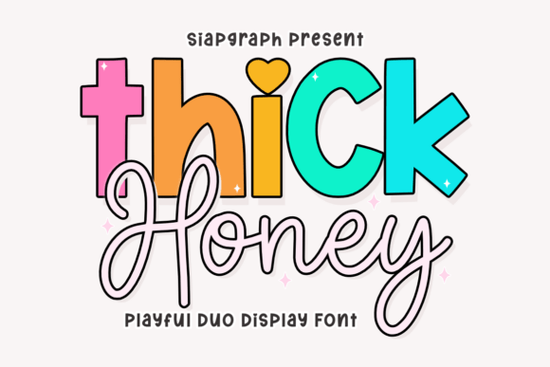
If you’ve been searching for a font that feels like sunshine in type form, the Thick Honey Duo Font might be exactly what your next project needs. It’s not just another display font it’s two fonts in one: a bold, rounded display style paired with a soft, flowing script. Whether you’re designing stickers for Etsy, branding a kids’ boutique, or whipping up social media graphics that need to pop, this duo gives you both punch and personality without needing extra tools or layers.
What makes Thick Honey stand out is how naturally the two styles work together. The chunky display letters grab attention think big, friendly headlines for birthday invites or bakery packaging while the script version adds movement and charm underneath. You don’t need to pair it with another font to get contrast; it’s built right in. And because it includes PUA-encoded characters, all those cute swashes and alternates are just a click away in most design software.
Who should use Thick Honey Duo Font?
This isn’t a font for corporate reports or minimalist portfolios. It’s made for creators who want their work to feel warm, playful, and full of life. Here’s where it really shines:
- Kids’ products Think wall art for nurseries, growth charts, or personalized storybooks. The rounded shapes feel safe and sweet.
- Bakery and café branding Use the display version for logos or menu headers, then switch to script for flavor names or taglines.
- Social media templates Especially if your audience loves pastels, doodles, or cottagecore vibes.
- Print-on-demand sellers T-shirts, mugs, tote bags anything that benefits from a “handmade with love” aesthetic.
If you liked the vibe of Sweetie Honey or the retro bounce of Retro Holly, you’ll probably feel right at home with Thick Honey. It sits comfortably between playful and polished not too childish, not too stiff.
How do I style it without overdoing it?
Because Thick Honey already has strong visual contrast built in, you don’t need to go wild with effects. A few simple rules help keep your designs looking intentional:
- Use color wisely. Try pairing the bold display with brights (think lemon yellow, mint, coral) and let the script stay neutral (cream, soft gray, blush).
- Don’t mix both styles in the same line. Let them play different roles headline vs. subhead, title vs. caption.
- Add breathing room. The thick strokes need space. Give your text generous padding or margins so it doesn’t feel crowded.
- Pair with simple sans-serifs. If you need body text, pick something clean like Montserrat or Nunito. Let Thick Honey be the star.
And if you’re working on merchandise or packaging, test how the script holds up at smaller sizes. Sometimes those delicate strokes can blur in print when in doubt, bump up the size or stick to the display version for tiny labels.
What else pairs well with it?
Thick Honey plays nicely with illustrated elements think bees, flowers, clouds, or hand-drawn borders. It also complements other whimsical fonts in the Creative Fabrica library. For example, if you’re building a layered quote graphic, try combining it with Groovy Cute for an extra dose of fun, or balance its sweetness with the sharper angles of Beautiful Caroline.
You can explore more options like this by checking out Thick Honey Duo Font directly on Creative Fabrica, where you’ll find previews, licensing info, and user reviews to help you decide.
Is it easy to install and use?
Yes especially if you’re used to working with OTF or TTF files. Once installed, you can access all the decorative glyphs through your design software’s glyph panel (Illustrator, Photoshop, Canva Pro, Affinity, etc.). No plugins required. And because it’s PUA-encoded, even basic programs like Silhouette Studio or Cricut Design Space will show you the full character set without hiccups.
If you’ve struggled with fonts that hide their best features behind complicated workflows, this one’s refreshingly straightforward. Open, select, type done.
Quick checklist before you start:
- ✅ Download and install both font files (display + script)
- ✅ Check your software’s glyph panel to explore alternates
- ✅ Test print or export a sample before finalizing your design
- ✅ Keep contrast in mind let one style lead, the other support
- ✅ Save a backup of your licensed files (Creative Fabrica lets you re-download anytime)
Start small maybe a greeting card or Instagram story and see how the font feels in your hands. You might be surprised how quickly it becomes a go-to for projects that need a little extra joy.
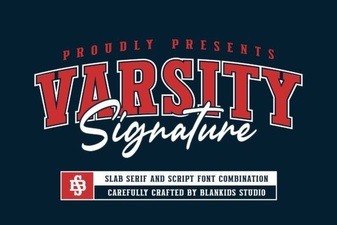 Varsity Signature: a Bold Font for Creative Projects
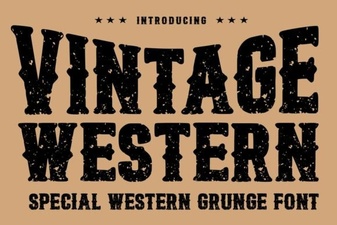 Vintage Western Fonts: Design Tips & Creative Projects
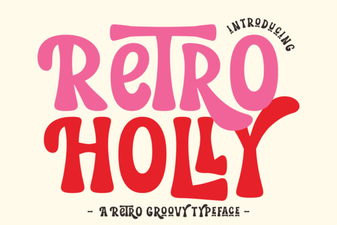 Retro Holly Font for Vintage Design Projects
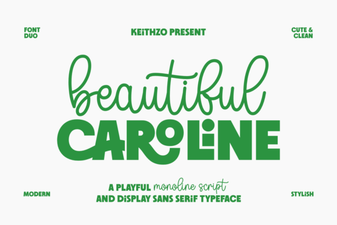 Caroline Font Design Guide & Creative Uses
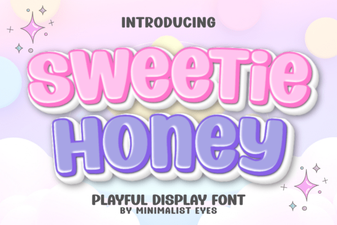 Sweetie Honey Font: a Playful Typography Guide
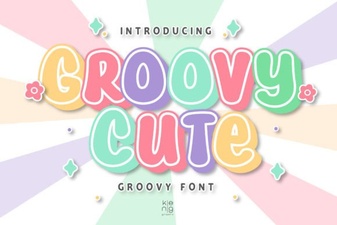 Groovy Cute Fonts for Your Next Creative Project